Figura 16.27. Ejemplo de crear un borde de una selección
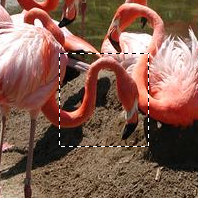
Una imagen con una selección
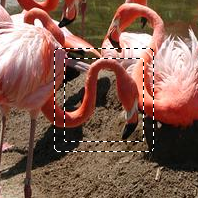
Después de “Seleccionar borde”
El comando crea una nueva selección a lo largo del borde de la selección existente en la imagen activa. El borde de la selección activa se usa como forma y la nueva selección se crea alrededor de el. Ponga el ancho del borde, en píxeles o alguna otra unidad, en la ventana del diálogo. La mitad del nuevo borde estará dentro del área de la selección y la otra mitad fuera.
You can access this command from the main menu through → .
If there is no selection, this menu entry is disabled.
Se deben respetar dos condiciones para utilizar este comando:
-
La imagen debe tener un canal alfa.
-
The original image must be created with the Antialiasing option checked in the selection tool that is used.
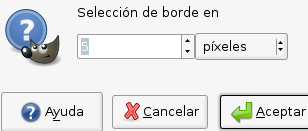
- Selección de borde en
-
Ponga el ancho del borde de la selección en la caja. La unidad predefinida es el píxel, pero puede escoger otra con el menú desplegable.
- Estilo del borde
-
-
Hard: this option does not keep anti-aliasing. This can be useful in some cases.
-
Smooth: this option keeps anti-aliasing. Note that “Smooth” does not create any anti-aliasing. That's why anti-aliasing must be added when creating the original selection. This option is the best one.
-
Feathered: this option does the same things as “Hard”, but instead of the resulting border being fully selected, it fades outwards. The result is not very good; if you want a feathered border, it's better to use one of the other modes, and then feather the result. It exists for historical reasons.
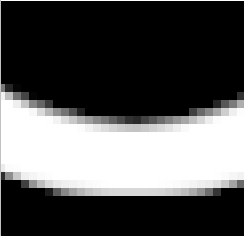
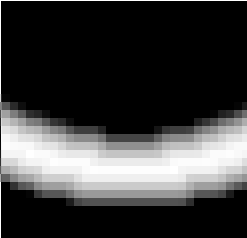
Figura 16.29. Comparación del estilo de borde
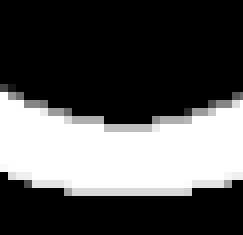
Opción “Duro”. Editor de selección, aumento 800%
Opción “Suave”. Editor de selección, aumento 800%
Opción “Difuminado”. Editor de selección, aumento 800%
-
- Las áreas seleccionadas continúan fuera de la imagen
-
Con esta opción activada, un borde de una selección (generalmente un rectángulo) permanece sin cambios si se alinea con el borde de la imagen; ninguna selección nueva se creará a su alrededor.
Figura 16.30. Seleccionar el borde con y sin “Las áreas seleccionadas continúan fuera de la imagen”
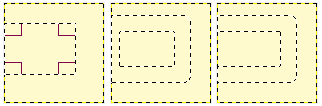
Seleccionar el borde sin (medio) y con (derecha) la selección fijada.
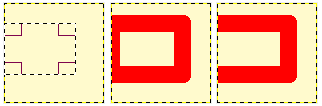
Las mismas selecciones rellenadas con rojo.


