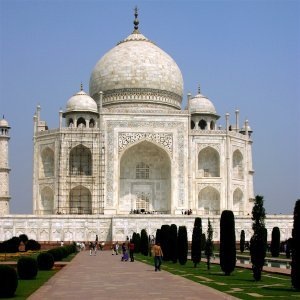
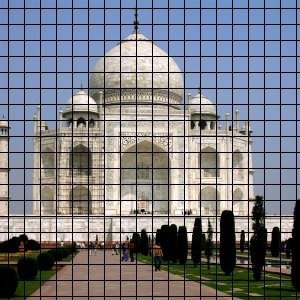
Dette filteret teiknar eit kartesisk rutenett på det gjeldande laget, over innhaldet som finst frå før. Du kan bestemma linjebreidd, avstand, forskyving og ulike fargar for linjene. Som standard er desse svarte.
![[Tips]](images/tip.png)
|
Tips |
|---|---|
|
Ved å setja breidda på rutenettlinjene til 0, kan du slå av visinga av den typen linje (vassrett, loddrett og skjeringspunkt). |
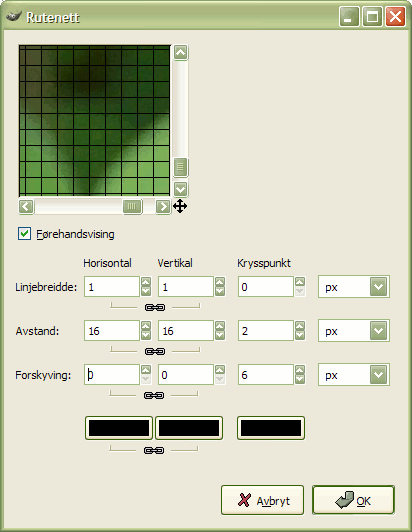
Du kan setja verdiane for dei vassrette og loddrette linjene og for krysspunkta kvar for seg. Normalt er innstillingane for linjene låste saman for å gje eit symmetrisk resultat, men du kan klikka på lenkjesymbolet for å opna låsen og t.d. bruka ulike fargar på linjene.
For dei første tre setta av parameterar kan du velja måleeining for verdiane du skriv inn. Som standard vert pikslar brukt.
- Vassrett breidd, Loddrett breidd, Kryssbreidd
-
Set breidda på dei vassrette og loddrette linjene og skjeringslinjene. Som standard er dei vassrette og dei loddrette linjene kopla saman, men du kan kopla ut dette ved å trykkja på lenkjesymbolet.
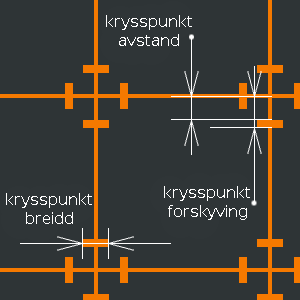
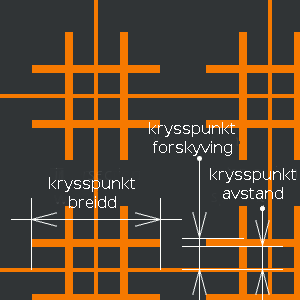
- Vassrett avstand, Loddrett avstand, Kryssavstand
-
Dette bestemmer avstanden mellom linjene i rutenettet. For Krysspunkta bestemmer dette parameteret kor stor del av innerdelen av krossen som skal vere utan farge.
- Vassrett forskyving, Loddrett forskyving, Kryssforskybing
-
Bestemmer kor mykje rutenettet skal forskyvast i høve til øvre, venstre bilethjørne. For krysspunkta bestemmer dette armlengda på krossane.
- Fargeveljarane
-
Du kan bruka fargeveljaren for å velja farge kvar for seg for dei vassrette og loddrette linjene og skjeringslinjene. Trykk på ein fargeveljarknapp for å velja farge. Som standard får dei vassrette og dei loddrette linjene same fargte, men du kan slå av og på dette ved å trykkja på kjedesymbolet.