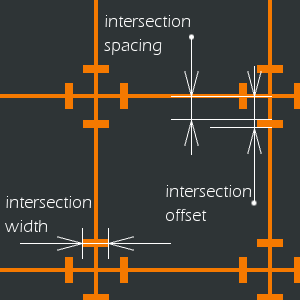
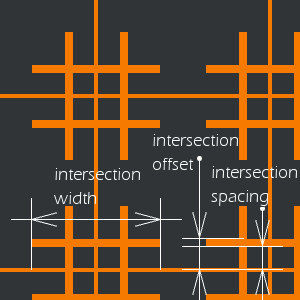
Afbeelding 17.390. Voorbeeld van toepassen van het filter Raster (oud)
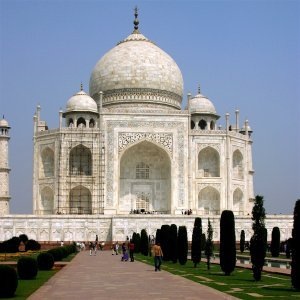
Originele afbeelding
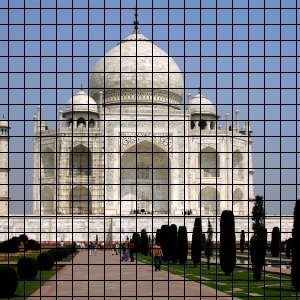
Filter toegepast
Het rendert een cartesiaans raster in de actieve laag, bovenop de bestaande inhoud. De breedte, tussenruimte, verschuivingen en kleuren van de rasterlijnen kunnen allemaal worden ingesteld door de gebruiker. Standaard zijn de lijnen zwart.
![[Tip]](images/tip.png)
|
Tip |
|---|---|
|
Door een rasterlijn in te stellen met de breedte 0, kunt u het weergeven van dat type lijn uitschakelen (horizontaal, verticaal, snijpunt). |
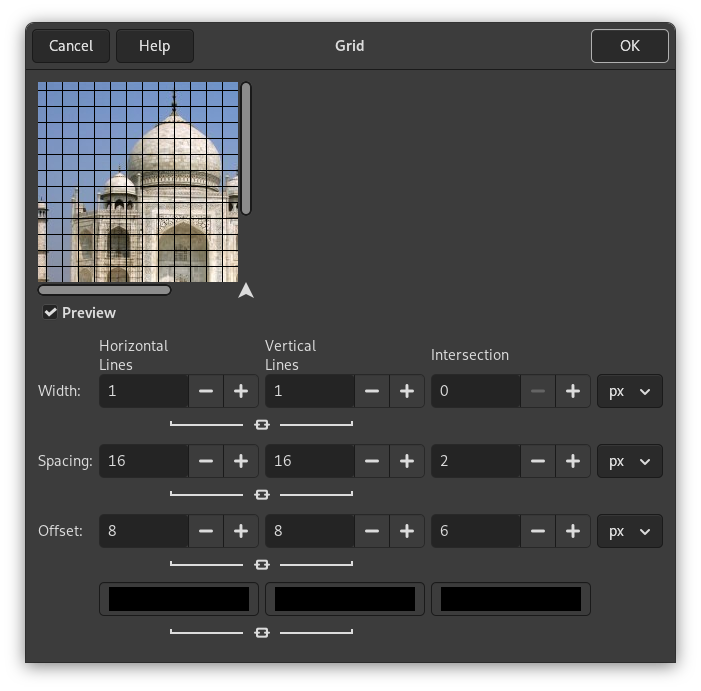
Er zijn afzonderlijke opties voor het beheren van de horizontale rasterlijnen, verticale rasterlijnen en snijpunten. Standaard zijn de instellingen voor horizontaal en verticaal gesynchroniseerd, zodat alle wijzigingen symmetrisch worden toegepast. Als u slechts een ervan wilt wijzigen, klik op het symbool “ketting” eronder om het synchroniseren op te heffen.
Voor elk van de eerste drie sets parameters kunt u voor de waarden die u invoert de maateenheid selecteren. Standaard worden pixels gebruikt.
- Horizontale breedte, Verticale breedte, Snijpunt breedte
-
Stelt de dikte van de rasterlijnen in voor respectievelijk horizontale, verticale en snijpuntlijnen. Standaard is de dikte voor horizontale en verticale dikte gesynchroniseerd, wat u uit kunt zetten door met het symbool ketting te schakelen.
- Horizontale witruimte, Verticale witruimte, Snijpunt afstand
-
Stelt de tussenruimte tussen de rasterlijnen in. De parameter Snijpunt maakt de ruimte tussen het snijpunt en het einde van de armen van de kruizen voor de snijpunten leeg.
- Horizontale verschuiving, Verticale verschuiving, Snijpunt verschuiving
-
Stelt het begin van de verschuiving voor de rasterlijnen relatief in ten opzichte van de linkerbovenhoek. Voor snijpunten stelt het de lengte van de armen van de kruizen voor het snijpunt in.
- Kleurkiezers
-
De kleurkiezers stellen u in staat de kleuren voor de horizontale, verticale en snijpunt-rasterlijnen afzonderlijk in te stellen. Klik op een knop van de kleurkiezer om een andere kleur te selecteren. Standaard zijn de kleuren voor horizontale en verticale lijnen gesynchroniseerd, wat u uit kunt zetten door met het symbool ketting te schakelen.