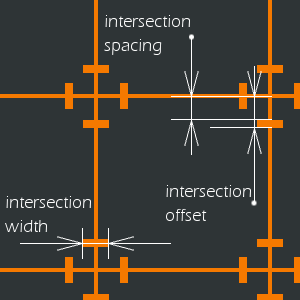
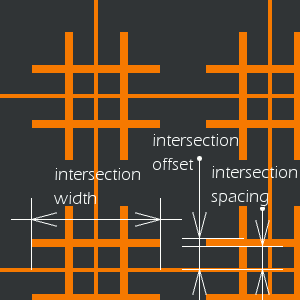
Figura 17.390. Esempio di applicazione del filtro Griglia (tradizionale)
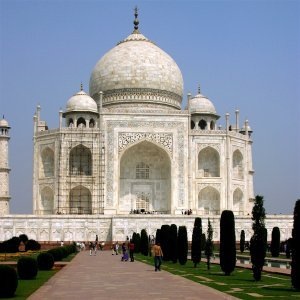
Immagine originale
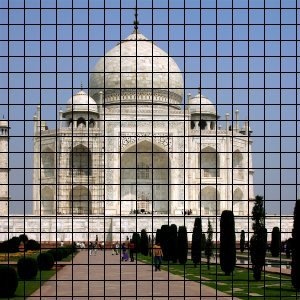
Filtro applicato
Disegna una griglia cartesiana nel livello attivo, sopra il contenuto pre-esistente. La larghezza, la spaziatura, gli scostamenti e i colori delle linee di griglia possono essere impostate dall'utente. Per preimpostazione le linee sono nere.
![[Suggerimento]](images/tip.png)
|
Suggerimento |
|---|---|
|
Impostando lo spessore di una linea della griglia a 0, è possibile disabilitare la visualizzazione di quel tipo di linea (orizzontale, verticale, intersezione). |
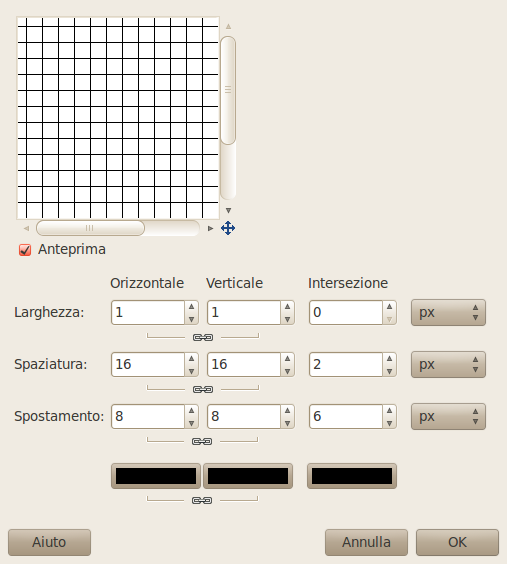
Ci sono opzioni separate per controllare le linee di griglia orizzontali e verticali, e le intersezioni. Per preimpostazione le opzioni per le linee orizzontali e verticali sono bloccate insieme cosicché i cambiamenti sono applicati simmetricamente. Se si desidera modificare solo una di esse allora cliccare sul simbolo della «catena» sotto di esse per sbloccarne la sincronizzazione.
Per ciascuno dei primi tre gruppi di parametri è possibile selezionare l'unità di misura per i valori inseriti. Per impostazione predefinita vengono utilizzati i pixel.
- Larghezza orizzontale, Larghezza verticale, Larghezza intersezione
-
Imposta lo spessore delle linee della griglia per le linee orizzontali, verticali e di intersezione. Per impostazione predefinita, lo spessore orizzontale e verticale è sincronizzato, ma è possibile disabilitarlo agendo sull'icona della catena.
- Spaziatura orizzontale, Spaziatura verticale, Spaziatura intersezione
-
Imposta la distanza tra le linee di griglia. Per il parametro Intersezione imposta la distanza degli estremi interni dei segmenti dal punto di intersezione.
- Scostamento orizzontale, Scostamento verticale, Scostamento intersezione
-
Imposta lo scostamento iniziale delle linee della griglia rispetto all'angolo superiore sinistro. Per le intersezioni, imposta la lunghezza dei bracci delle croci di intersezione.
- Selettori dei colori
-
I selettori di colore consentono di modificare separatamente il colore delle linee orizzontali, verticali e di intersezione della griglia. Fare clic su un pulsante del selettore di colore per selezionare un colore diverso. Per impostazione predefinita, i colori delle linee orizzontali e verticali sono sincronizzati; è possibile disattivare questa funzione agendo sull'icona della catena.