This filter is used to remove small defects due to dust, or scratches, on a scanned image, and also moiré effects on images scanned from a magazine. You should select isolated defects before applying this filter, in order to avoid unwanted changes in other areas of your image. The filter replaces each pixel with the median value of the pixels within the specified radius.
![[Nota]](images/note.png)
|
Nota |
|---|---|
|
If the image is in indexed mode, this menu entry is disabled. |
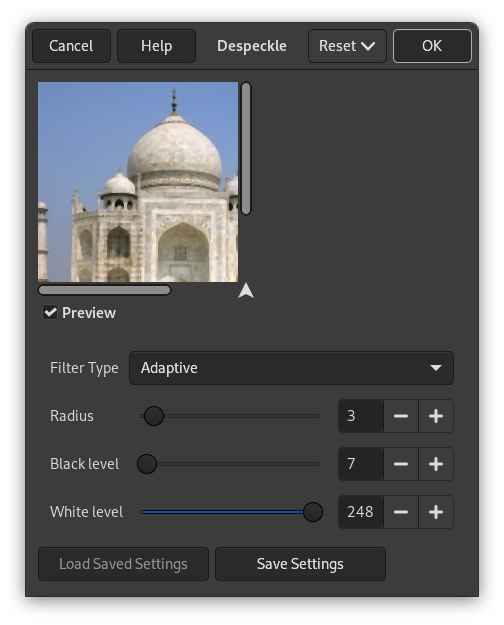
- Vista previa
-
Si está marcada, el resultado de la configuración de parámetros se muestra interactivamente en la vista previa.
- Filter Type
-
- Media
-
The median value of the pixels within the set Radius around the target pixel is used to replace the target pixel value.
- Adaptativo
-
Adapta el radio a la imagen o al contenido de la selección analizando el histograma de la región de alrededor del píxel objetivo. El radio adaptado siempre será igual o más pequeño que el radio especificado.
- Recursive-Median
-
Repeats the Median filter action to get a stronger effect.
- Recursive-Adaptive
-
Repeats the Adaptive filter action to get a stronger effect.
- Radio
-
Sets size of action window from 1 (3×3 pixels) to 20 (41×41). This window moves over the image, and the color in it is smoothed, so imperfections are removed.
- Nivel de negro
-
Incluir solo los píxeles más claros que el valor configurado en el histograma (-1-255).
- Nivel de blanco
-
Incluir solo los píxeles más oscuros que el valor configurado en el histograma (0-256).


