The command displays the available GEGL filters that can be called by plug-ins or scripts. These filters perform image related actions and may have one or more parameters that can be adjusted.
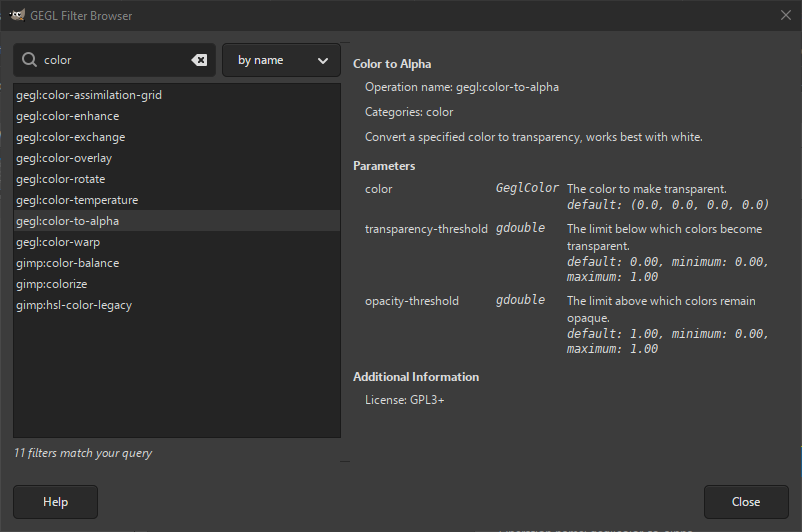
The figure above shows the GEGL Filter Browser dialog window. If you click on an item in the list on the left, information about the filter is displayed on the right.
For the selected filter it first shows basic information: the name by which it can be called, the category it belongs to, and a description of what the filter does. Following that, information of its parameters (if any) is shown. For each parameter it shows its name, the required datatype, its default value, and minimum and maximum values allowed. Below that, it will show additional information, like the license.
You can search for a specific filter by querying the filter database in the Search text box. You can choose on what part of the filter information the search is performed:
- по имену
-
Searches only the name of the filter. It shows a list of filters which have the text you entered at the start of a word that is part of the name.
- by title
-
Searches the title of the filter. It shows a list of filters which have the text you entered anywhere as part of the title.
The difference with searching by name is, that the title is how you would write about the filter, e.g. „Gaussian Blur“, while the name is how you would call the filter in your code, e.g. „gegl:gaussian-blur“.
- по опису
-
Searches the description of what the filter does. The text entered can be anywhere in the description.


