This plug-in lets you play an animation from a multi-layers image. GIMP supports several formats that allow you to export an animation, e.g. webp, gif and mng. In addition to that, GIMP supports loading (but at this time not exporting) apng images. Regular multi-layer formats like GIMP's own XCF as well as PSD, TIFF and PSP also allow you to use multiple layers that can be interpreted by this animation player as an animation.
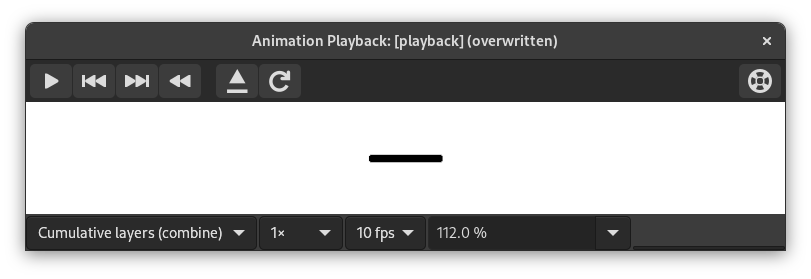
Этот диалог имеет:
- Предварительный просмотр
-
The center of the Playback dialog is taken up by a preview of the animation that automatically fits to the frame size. The number of the displayed frame as well as the total number of frames is shown below the preview next to the player controls.
- Drop-down lists at the top
-
The following drop-down lists and controls are available above the preview:
- Объединить/заменить слои
-
Это может быть кнопка для отображения всех кадров один на другом или для отображения только последнего кадра.
- Частота кадров по умолчанию
-
Позволяет задать количество кадров в секунду, используемое при воспроизведении анимации.
- Скорость воспроизведения
-
Позволяет задать скорость анимации.
- Масштаб
-
Позволяет задать масштаб анимации.
- Player Controls at the top right
-
-
 Reload the image
-
This loads the animation again, useful if changes have been made.
-
 Detach the animation from the dialog window
-
Отделяет анимацию от окна.
-
 Help
Help
-
Show this documentation for Animation Playback.
-
- Player Controls at the bottom
-
The following controls are available below the preview:
-
 Start playback/Stop playback
-
Включает или выключает анимацию.
-
 Step back to previous frame
-
Воспроизводит анимацию в обратном направлении шаг за шагом.
-
 Step to next frame
-
Воспроизводит анимацию шаг за шагом.
-
 Rewind the animation
-
Перематывает анимацию к началу.
-


