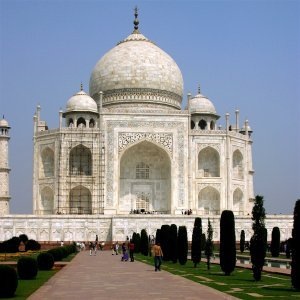
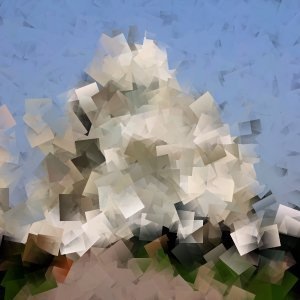
The Cubism filter modifies the image so that it appears to be constructed of small squares of semitransparent tissue paper.
![[Astuce]](images/tip.png)
|
Astuce |
|---|---|
|
Si les possibilités de réglage de ce filtre ne vous suffisent pas, voyez le filtre GIMPressionniste qui offre beaucoup plus d’options. |
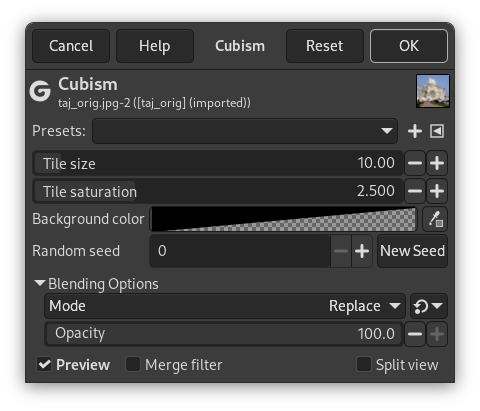
- Presets, « Input Type », Rognage, Blending Options, Aperçu, Merge filter, Split view
-
![[Note]](images/note.png)
Note Ces options sont décrites dans Section 2, « Options communes ».
- Taille des carreaux
-
This variable determines the size, in pixels, of the squares to be used. This is, in effect, the size of the little squares of tissue paper used in generating the new image. The slider can be clicked, the exact pixel size can be entered into the slider, or the + and - buttons can be used.
- Saturation des carreaux
-
This variable specifies how intense the color of the squares should be. This affects the opacity of the squares. A high value will render the squares very intensely and does not allow lower squares to show through. A lower value allows the lower squares to be more visible through the higher ones and causes more blending in the colors.
- Background color
-
This allows you to change the background color that is used by this filter. You can click the color bar to select a color, or use the color picker to pick a color from your image.
- Random seed, New Seed
-
This option controls the randomness of the filter. The Random seed box lets you manually enter a seed for the randomization algorithm used. You can also generate a random seed by pressing the button. If the same random seed is used in the same situation, the filter produces exactly the same results. A different random seed produces different results.
|
|
Astuce |
|---|---|
|
Si vous utilisez ce filtre pour générer des images de fond de page Web, travaillez avec quelques couleurs placées au hasard sur un petit carré. Appliquez le filtre Cubisme avec les paramètres désirés. Et enfin utilisez le filtre Rendre raccordable pour que votre image se raccorde sans joint visible. |


