Şekil 16.224. “Posterleştir” süzgeci örneği
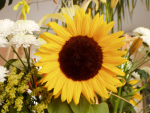
Özgün görüntü

“Posterleştirme düzeyi” 3 olarak uygulandı
This tool is designed to intelligently weigh the pixel colors of the selection or active layer and reduce the number of colors while maintaining a semblance of the original image characteristics.
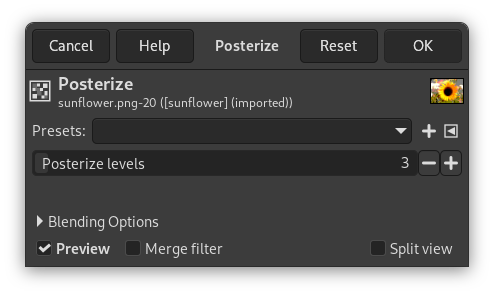
- Önayarlar, Harmanlama Seçenekleri, Ön izleme, Süzgeci birleştir, Bölünmüş görünüm
-
![[Not]](images/note.png)
Not These options are described in Kısım 8.1.2, “Renkler Ortak Özellikler”.
- Posterleştirme düzeyi
-
Burada “düzey” “kanal başına renk” anlamına gelmektedir.
This slider and the input boxes with arrowheads allow you to set the number of levels (2-256) in each RGB channel that the tool uses to describe the active layer. The maximum total number of colors is the combination of these levels. A level to 3 will give 33 = 27 colors.


