Şekil 16.123. “Renk Sıcaklığı” süzgeci örneği
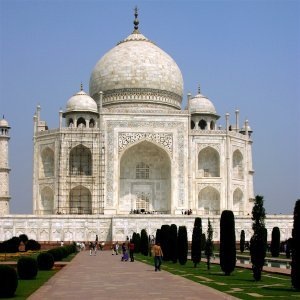
Original image, with color temperature estimated at 5,000K
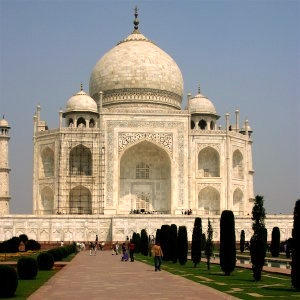
Modified image, with color temperature changed to 6,500K
The Color Temperature filter allows adjusting color temperature of the light source in an image in Kelvin. It can be used to correct the bluish cast in overcast photos, or even (to some extent) the red cast in photos taken under incandescent light with the camera set to daylight.
You can also use it to get interesting creative effects.
![[Not]](images/note.png)
|
Not |
|---|---|
|
This command does not work on Grayscale images. If the image is Grayscale, the menu entry is disabled. |
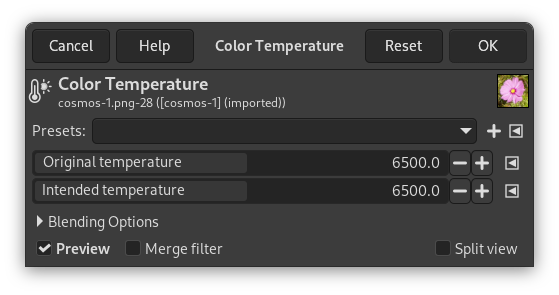
- Önayarlar, Harmanlama Seçenekleri, Ön izleme, Süzgeci birleştir, Bölünmüş görünüm
-
Not These options are described in Kısım 8.1.2, “Renkler Ortak Özellikler”.
- Özgün sıcaklık
-
This is the estimated original color temperature of the light source in Kelvin. You can change it because the image doesn't necessarily encode that information correctly or at all (and you might or might not have measured it). In addition there's often a mix of light sources (a window, a fill-in flash, etc). But above all else you can get interesting creative effects by changing it.
- Hedef sıcaklık
-
This is the desired color temperature of the light source in Kelvin.
![[İpucu]](images/tip.png)
|
İpucu |
|---|---|
|
Both original temperature and intended temperature can be set via
presets. To access the presets menu, click the
|


