Table des matières
GIMP est un outil portable (c.-à-d utilisable sur de nombreuses plateformes) pour créer et modifier toutes sortes d’images.GIMP est un acronyme de GNU Image Manipulation Program, en français Programme GNU de Manipulation d’Images.
GIMP offre de nombreuses fonctionnalités. Il peut être utilisé comme un simple programme de dessin, un programme de retouche photo de qualité expert, un outil de création d’art numérique, un système de traitement par lots en ligne, un moteur de rendu d’images pour la production de masse, un convertisseur de format d’image, etc.
GIMP is expandable and extensible. It is designed to be augmented with plug-ins and custom data to do just about anything. The advanced scripting interface allows everything from the simplest task to the most complex image manipulation procedures to be scripted.
GIMP is a Free Software application covered by the General Public License version 3 [GPL]. The GPL provides users with the freedom to access and alter the source code that makes up computer programs.
One of GIMP's strengths is its free availability on a wide range of operating systems and architectures. Most GNU / Linux distributions include GIMP as a standard application. GIMP is also available for other operating systems such as Microsoft Windows™ or Apple's macOS™ (Darwin). The platforms on which GIMP has been known to work include:
GNU/Linux™, Apple macOS™, Microsoft Windows™, OpenBSD™, NetBSD™, FreeBSD™, Solaris™, SunOS™, AIX™, HP-UX™, Tru64™, Digital UNIX™, OSF/1™, IRIX™, GNU/Hurd™, OS/2™, BeOS™, and its successor Haiku™.
GIMP is easily ported to other operating systems because of its source code availability. For further information visit the GIMP developers homepage. [GIMP-DEV].
The first version of GIMP was written by Peter Mattis and Spencer Kimball in 1995. Over the years many other people have contributed by helping with development, testing, providing support, translating and writing documentation. A short history of GIMP is available online.
Figure 1.1. Wilber, GIMP's mascot
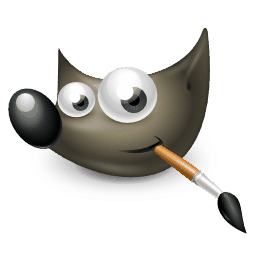
Wilber, created by Aryeom in 2024 for GIMP 3.0. License: Creative Commons Attribution-ShareAlike 4.0.
The creature on GIMP's icon is called « Wilber ». It is the official mascot of GIMP and was created by Tuomas Kuosmanen in 1997. Over the years, the appearance was updated and modernized several times.
The most recent version was created by Aryeom, with input from several others. An overview of all historical Wilber versions is available here.
The GIMP Documentation Team provides the information that tries to help you understand how to use GIMP. The User Manual is an important part of this help. The latest version is always available on the website of the Documentation Team [GIMP-DOCS] in HTML format. When using GIMP, context sensitive help is available by pressing the F1 key while the mouse is on top of a menu item or other part of GIMP's interface. Most dialogs will also show a help button that you can use to access the relevant part of the manual.
The manual in HTML format can also be installed locally on your computer. Installers are available for Windows, and on Linux your package manager may have a gimp-help package available. Though if your internet speed and bandwidth allow it, using the online manual is recommended since it is usually more up-to-date. When installing the local manual, you will have to adjust your help preferences to make use of the local copy.
Voici un condensé des fonctionnalités de GIMP :
-
Une suite complète d’outils de dessin comprenant des pinceaux, un crayon, un aérographe, un outil de clonage, etc.
-
Gestion de la mémoire basée sur les tuiles, de sorte que la taille de l’image n’est limitée que par l’espace disque disponible.
-
Échantillonnage sous-pixel pour tous les outils de dessin pour un anticrénelage de haute qualité.
-
Prise en charge complète du canal Alpha pour travailler avec la transparence.
-
Calques et canaux.
-
Une base de données procédurale pour appeler des fonctions internes de GIMP à partir de programmes externes, tels que Script-Fu.
-
Capacités avancées en matière de script.
-
Multiple annuler/rétablir (limité uniquement par l’espace disque).
-
Outils de transformation comprenant la rotation, la mise à l’échelle, le cisaillement et le retournement.
-
Prise en charge d’un large éventail de formats de fichiers, notamment JPEG, PNG, GIF, PSD, DDS, XPM, TIFF, TGA, MPEG, PS, PDF, PCX, BMP et bien d’autres.
-
Selection tools, including rectangle, ellipse, free, fuzzy, bezier and scissors.
-
Greffons qui autorisent l’extension du programme de base par des réalisations extérieures téléchargeables.


