|
Revision History
|
| Revision $Revision: 1928 $ |
2006-08-17 |
scb |
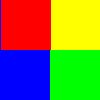
The command inverts all the pixel
colors and brightness values in the current layer, as if the image were
converted into a negative. Dark areas become bright and bright areas
become dark. Hues are replaced by their complementary colors. For more
information about colors, see the Glossary entry about
Color Model.
![[Note]](../images/note.png)
|
Note |
|
This command only works on layers of RGB and Grayscale images. If the
current image is Indexed, the menu entry is insensitive and grayed out.
|
10.19.1.
Activating the Command


![[Warning]](../images/warning.png)