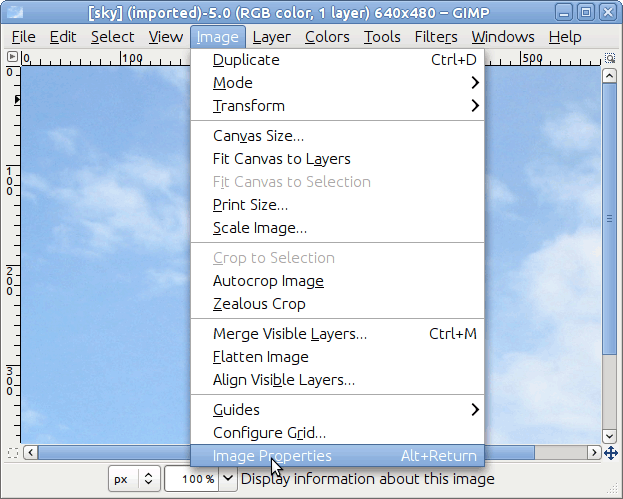
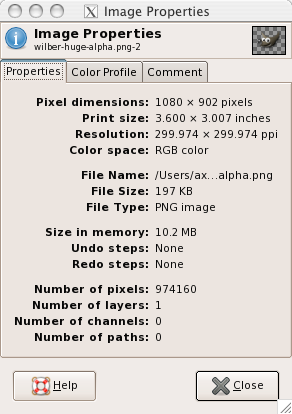
Esta ventana indica las dimensiones en píxeles. Pulsación derecha sobre la imagen y, desde la ventana de la imagen, seleccione → . Otra imagen de APOD [APOD06]. Es muy grande. (No tan grande como Saturno) Puede verla en el diálogo siguiente, 2241 x 1548 píxeles.
Si quiere hacer un cuadrado desde un rectángulo, como en Sección 4.4, “ Recortar una imagen ”, solo necesita abrir el diálogo y encontrar la longitud menor y hacer lo descrito. Es muy poca información, y, definitivamente, insuficiente para rellenar el espacio entre la miniatura del menú y la captura del diálogo, creo que se debería hacer algún cálculo para encontrar las necesidades de su imagen.
Es perfecto tener imágenes con apariencia de fotos en el navegador. Las fotos en la web parecen tener 4x6 pulgadas cuando se escalan a 288x432 píxeles (72 dpi para la mayoria de monitores). Hay un problema, si intenta escalar esta imagen. El ratio de la anchura del original no se ajusta al ratio de la foto. Así que para escalar la imagen al tamaño correcto, recorte 10 píxeles la altura. Para la imagen del ejemplo, fué mejor recortar 10 píxeles desde la parte superior. La imagen final deberia “aparecer” como una foto de 6x4 pulgadas en la mayoria de ordenadores.
There will be problems whenever mixing scanned photos with digital photos and also with scanned negatives. Modern film developing machines automatically crop one half of an inch off from each image -- the rumor is that the photo printing machines match a certain style of camera view. If you are preparing an image to be printed on a machine like this; or if you are planning on a gallery where the images are from different sources, some intelligent cropping to fit the best size for the medium you have chosen will be a plus. If this is confusing; please blame the photo printing industry and not GIMP.
You can change the Resolution of your image as well, using the same methods as we used in the Scale, although, in my somewhat limited use, the issue is more about how many pixels. Let's say you want to get this image printed at the photo lab. 300 pixels for every inch is preferred. This original image will print easily as a 7 x 5 photo. 2241px/300ppi = 7.47 in. Get out your calculator for the short side. 1548/300 = _.
There is another brutal fact you should come to terms with if you are new to graphics and computers. Just because it looks good on the screen doesn't mean that it will print that nicely. I tried to emulate how this image would appear printed at 300dpi. Sorry. There are some options, for instance my friend printed images and then scanned them back in. Terrible business!